CHIEF Bank – TestFlight Installation Guide
CHIEF BANK

Mobile Banking
TestFlight Installation Guide

Follow the steps below to install and set up CHIEF Bank Mobile Banking on your iPhone.

1

Install TestFlight

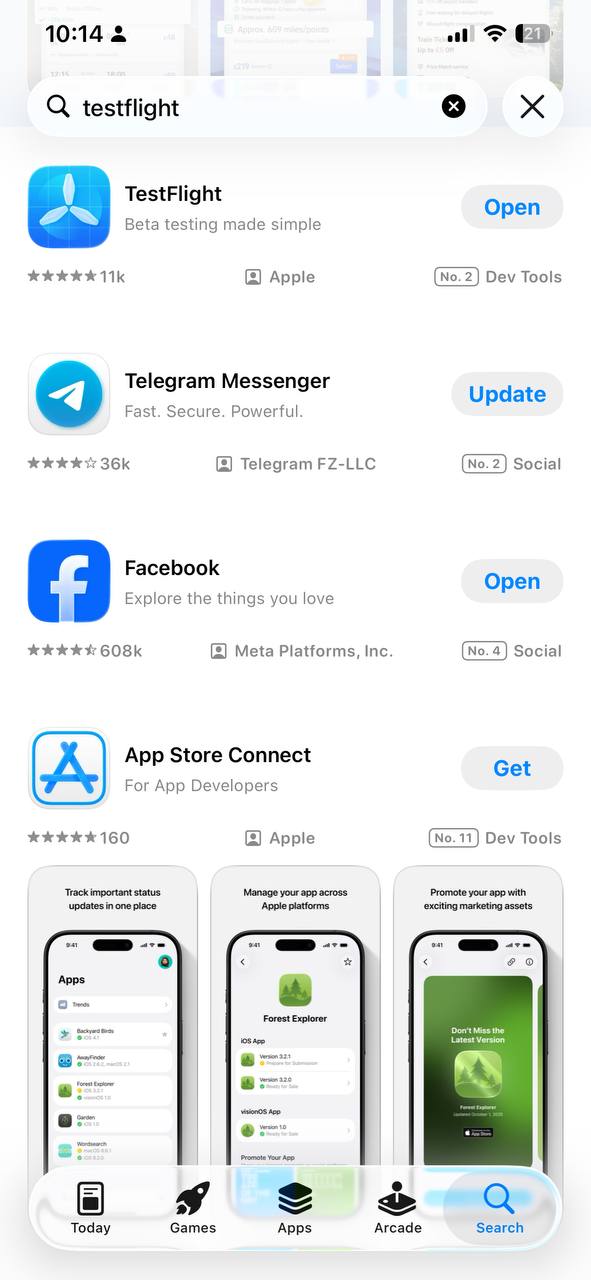
  1. Open the App Store on your iPhone.
  2. Search for TestFlight.
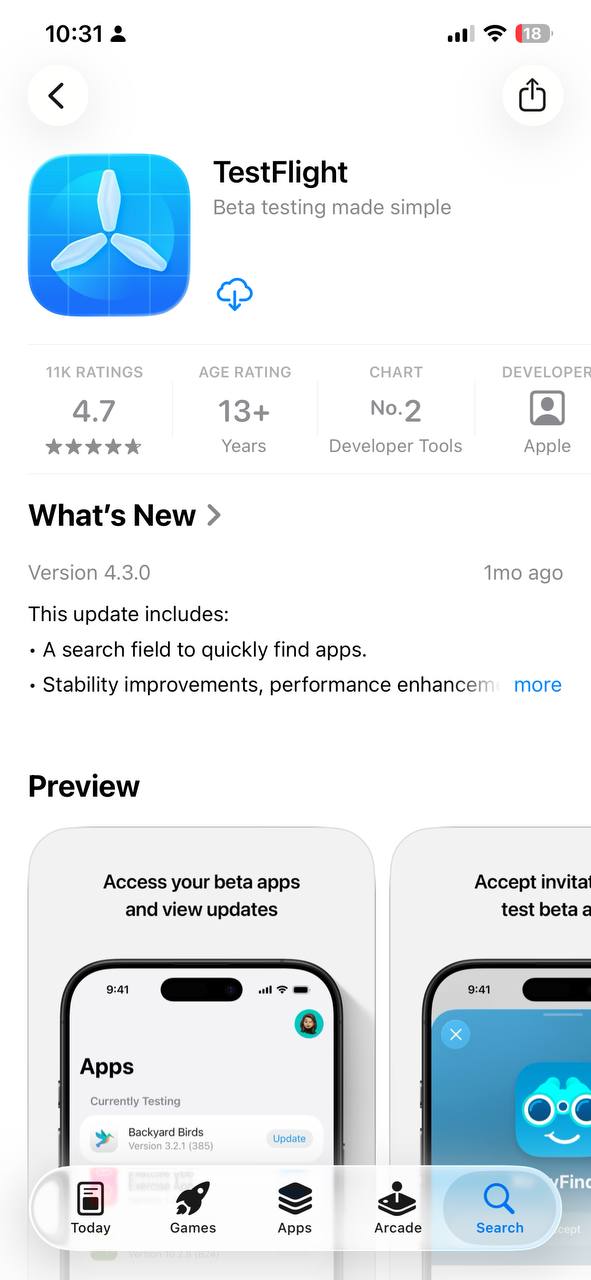
  3. Tap Get (or cloud download) to install it.
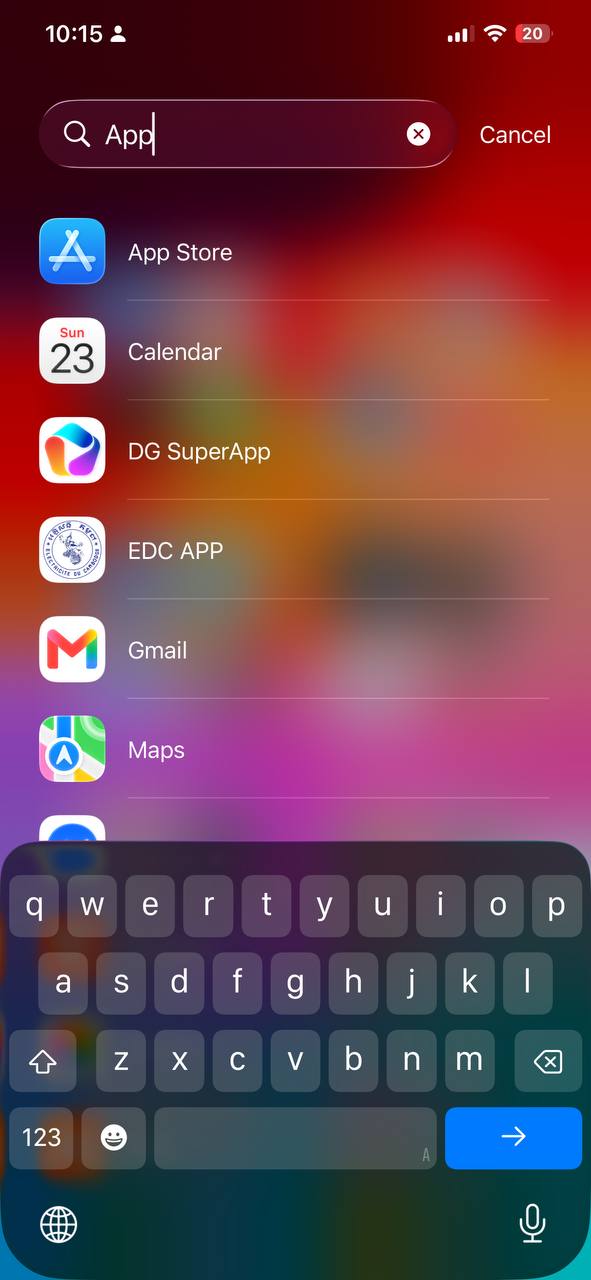
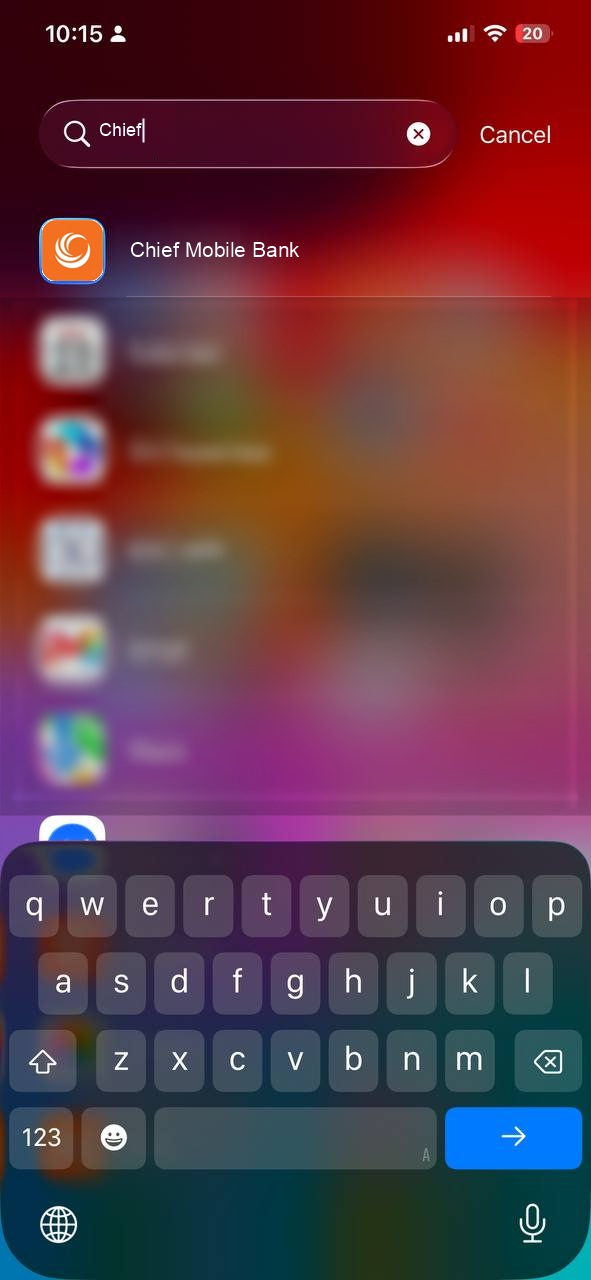
Step 1.1 - Open App Store

1.1 Open App Store

Step 1.2 - Search TestFlight

1.2 Search for TestFlight

Step 1.3 - Download TestFlight

1.3 Tap Get to install

2

Open the invitation

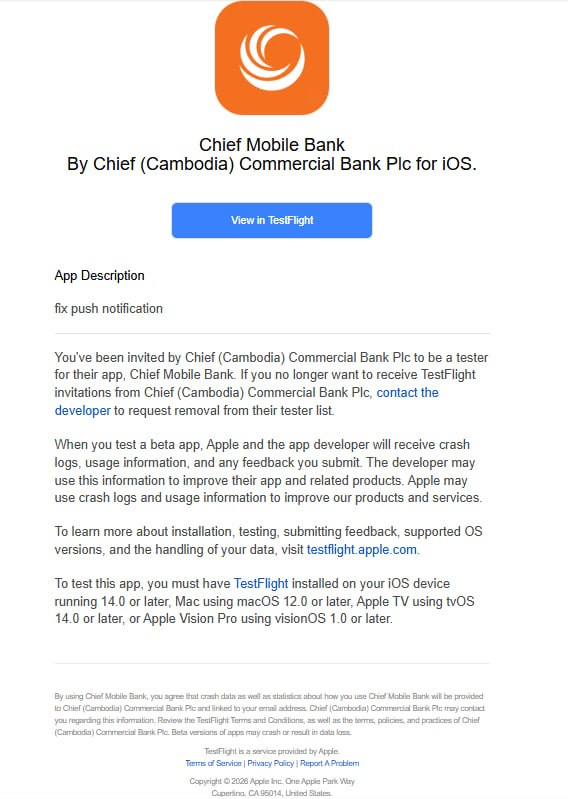
  1. Open the TestFlight invitation email on your iPhone.
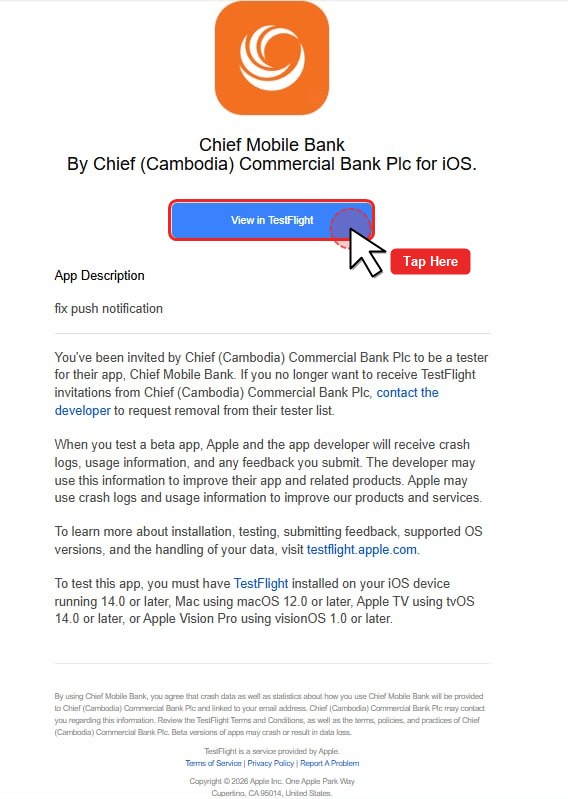
  2. Tap View in TestFlight.
  3. TestFlight will open automatically.
Step 2.1 - TestFlight Invitation Email

2.1 Open invitation email

Step 2.2 - Tap View in TestFlight

2.2 Tap “View in TestFlight”

Step 2.3 - TestFlight App Opens

2.3 TestFlight opens automatically

3

Accept and install

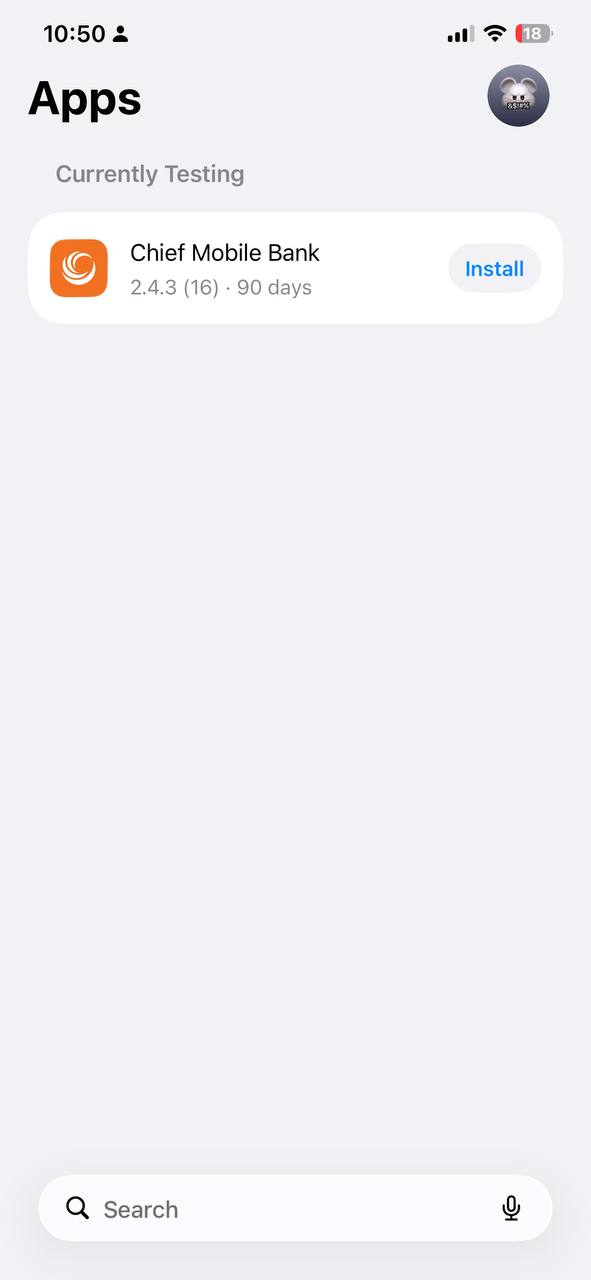
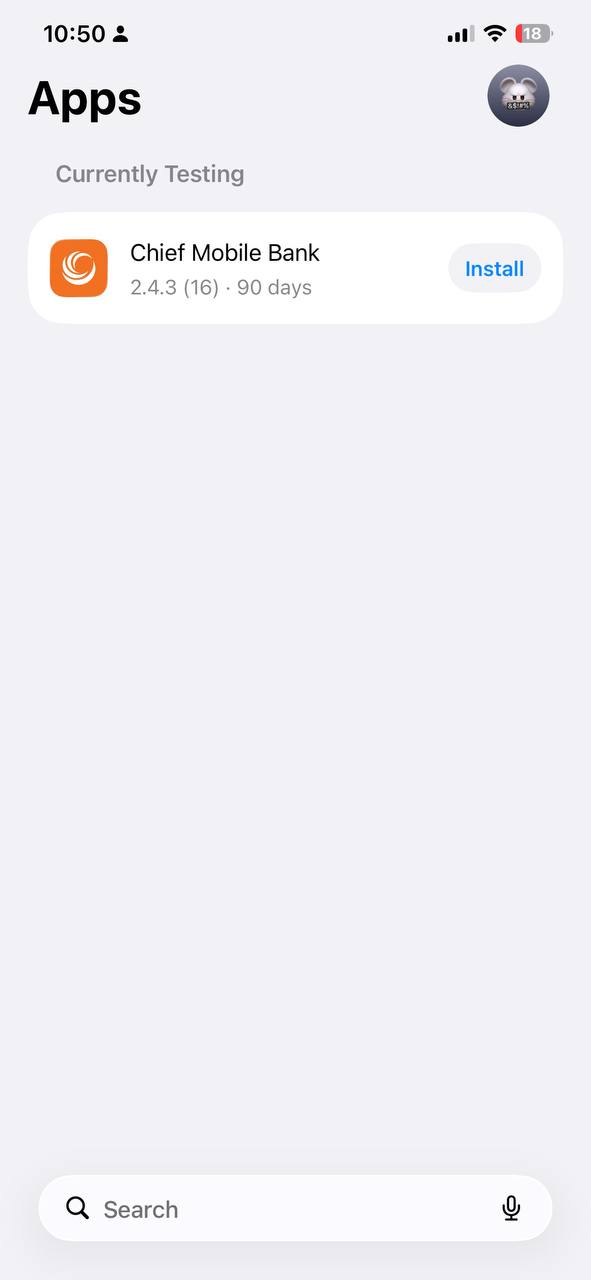
  1. Find CHIEF Bank Mobile Banking.
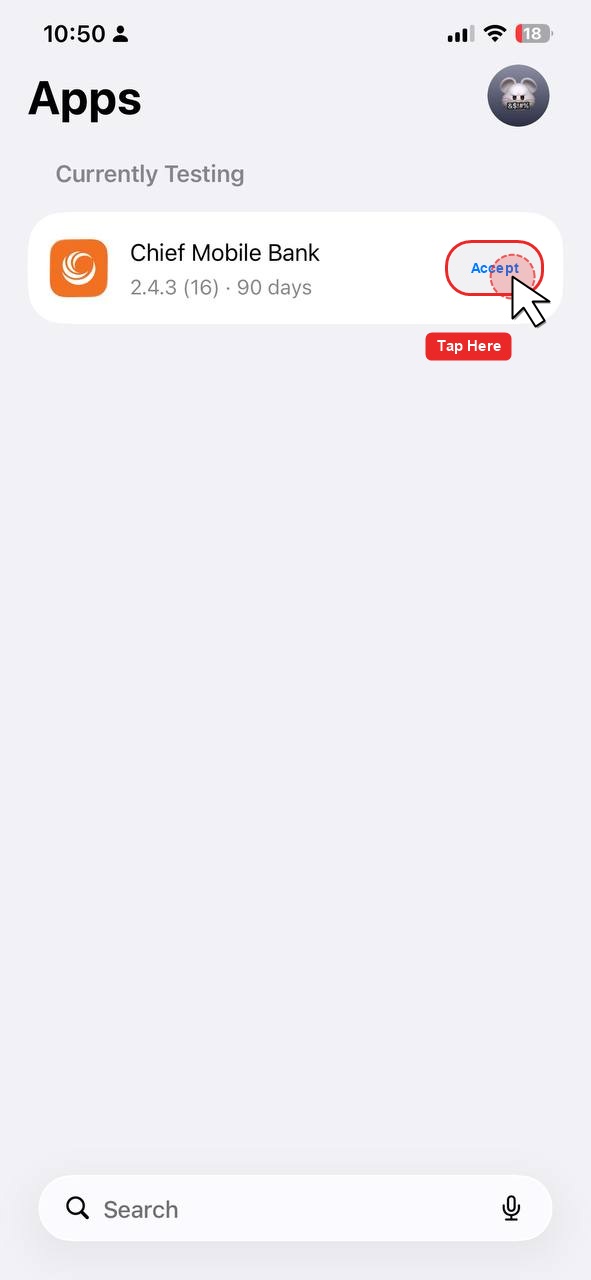
  2. Tap Accept if requested.
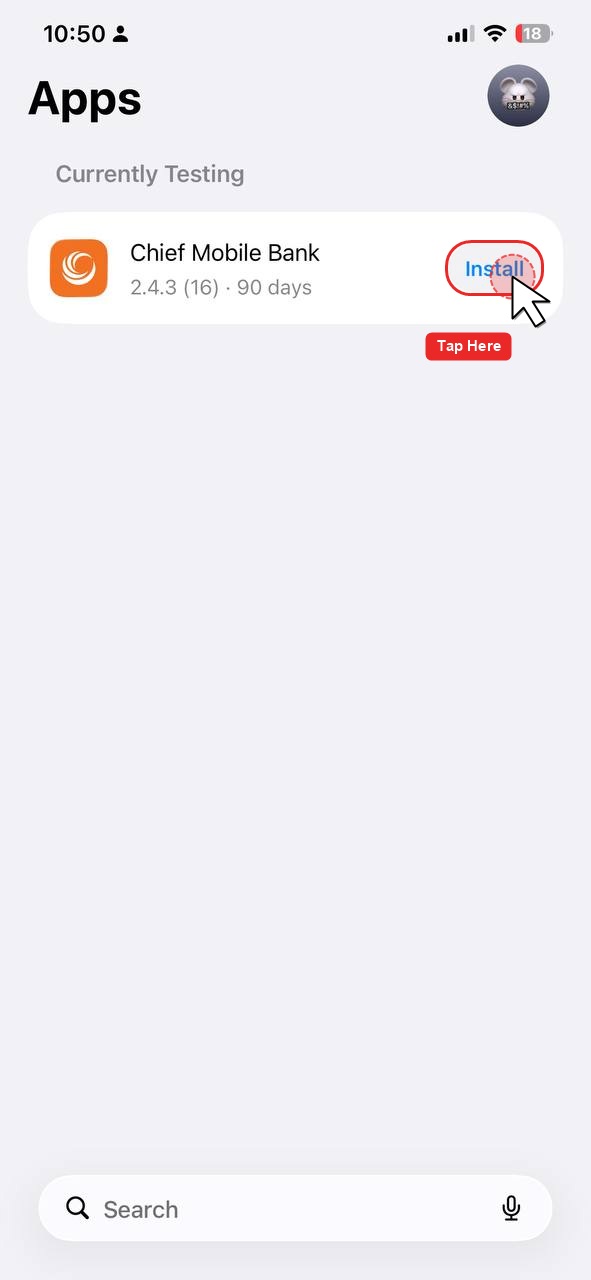
  3. Tap Install.
Step 3.1 - Find Chief Mobile Bank in TestFlight

3.1 Find Chief Mobile Bank

Step 3.2 - Tap Accept if requested

3.2 Tap “Accept” (if requested)

Step 3.3 - Tap Install

3.3 Tap “Install”

4

Open the application

  1. Tap Open in TestFlight, or
  2. Tap the CHIEF Bank Mobile Banking icon on your iPhone home screen.
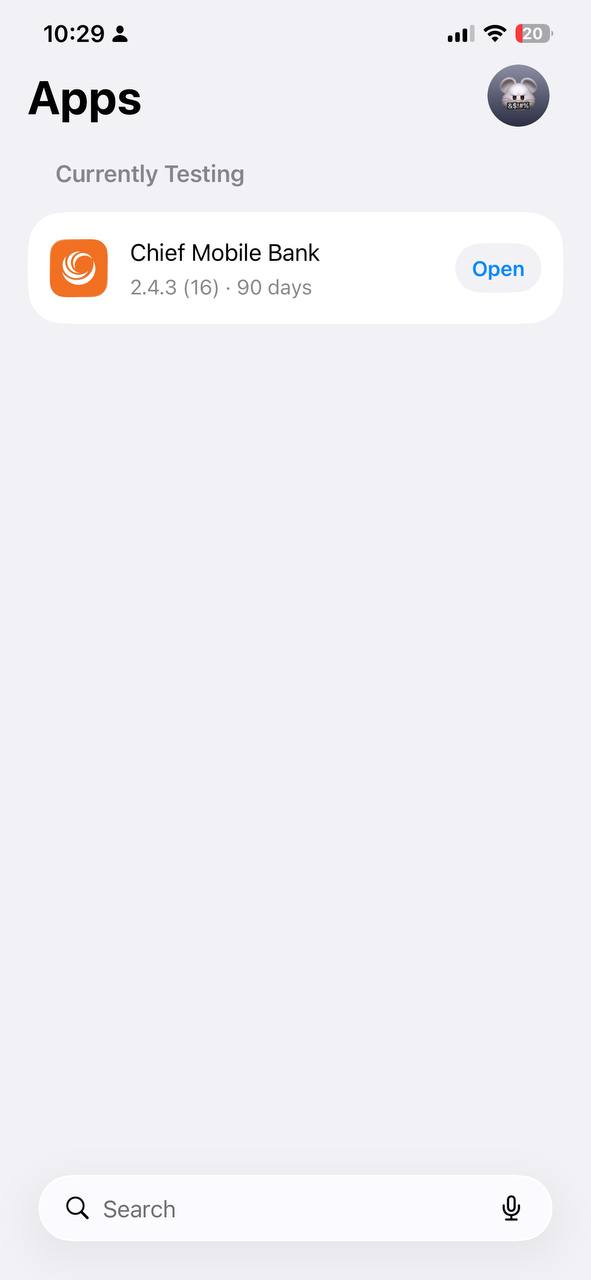
Step 4.1 - Open Chief Mobile Bank in TestFlight

4.1 Tap Open in TestFlight

Step 4.2 - Open from Spotlight / App Library

4.2 Or tap Chief Mobile Bank on your iPhone

5

Start using the app

Log in using your normal CHIEF Bank Mobile Banking credentials and start using the application.
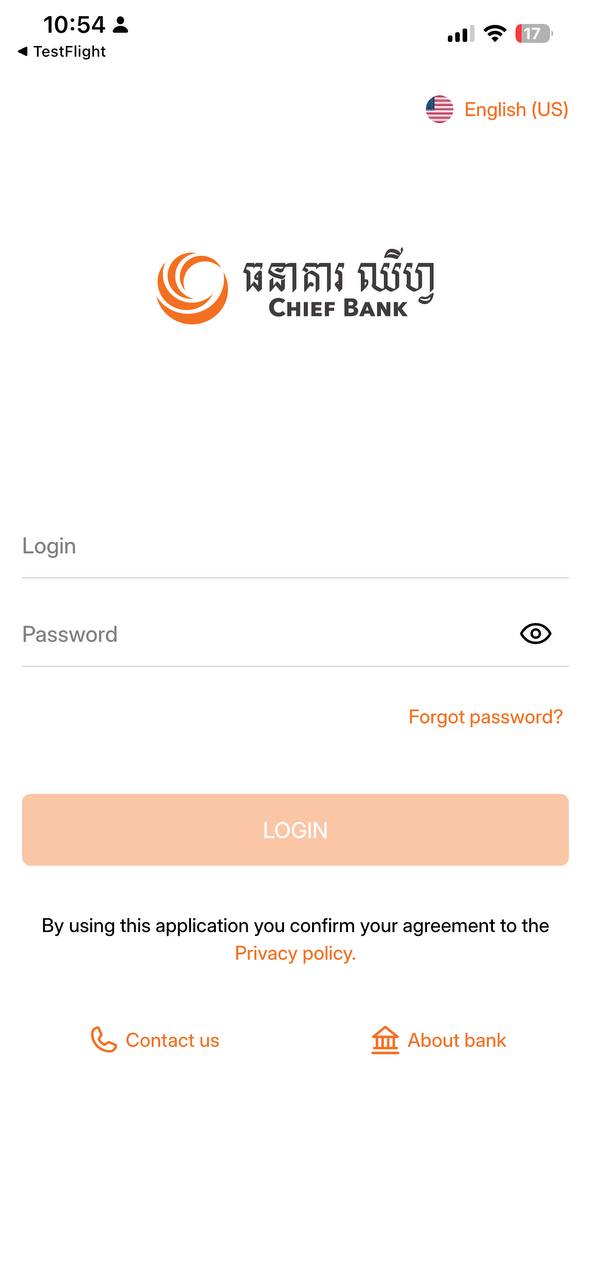
Step 5 - Login to Chief Mobile Bank

5.1 Chief Mobile Bank login screen

Unable to install?

  • Make sure TestFlight is installed.
  • Make sure you opened the invitation using the correct email address.
  • Check your internet connection.
  • Make sure the invitation has not expired.
  • Make sure your iPhone supports the required iOS version.

If the problem continues, please contact CHIEF Bank IT/Application Support and provide a screenshot of the error.

Important

This is a temporary TestFlight version of CHIEF Bank Mobile Banking.

When the official App Store version becomes available, please update to the official version.

⚠️ Please do not share your banking credentials with anyone.

© CHIEF Bank – Mobile Banking
nav logo
產品及服務
產品及服務 探索致富銀行全面的金融解決方案,搭配尖端的電子銀行服務。
  • 存款
  • 個人貸款
  • 商業方案
  • 貿易服務
  • 網上銀行
  • 定期存款戶口
  • 分期存款戶口
  • 活期存款戶口及往來戶口
  • 致富孩子戶口
  • 優越存款戶口
  • 優越往來戶口
  • 離岸戶口
  • 定期貸款
  • 房屋貸款
  • 汽車貸款
  • 摩托車貸款
  • 微型商業貸款
  • 中小企商業貸款
  • 大額商業貸款
  • 自動轉賬支薪服務
  • Bakong - Chief KHQR
  • 提貨擔保
  • 銀行擔保
  • 入口跟單托收
  • 出口服務
  • 信用證協商
  • 出口跟單托收
  • 產品及收費
  • 匯款
  • Wing
  • Bakong
  • Bakong - Chief KHQR
  • Link Chief to Bakong
了解我們
了解我們 了解致富銀行 - 十年來您可以信賴的夥伴
  • 了解我們
  • 銀行牌照
  • 董事與組織
  • 財務資訊
  • 概要
  • 願景、使命、目標和理念
  • 我們的商標
  • 銀行與金融機構行為準則
  • 銀行牌照
  • 董事會成員
  • 行政總裁
  • 公司架構
  • 財務簡要
媒體
媒體 瀏覽致富銀行的媒體版塊,了解最新的促銷活動、新聞、活動快照以及我們的年報
  • 最新消息
  • 媒體相簿
  • 刊物
聯絡我們
聯絡我們 與致富銀行聯繫 - 尋找我們的聯繫方式,探索職業機會。立即加入我們吧!
  • 聯繫方式
  • 分行網絡
  • 就業機會
  • ATM 網路
分行網絡
中文 EN ខ្មែរ
nav logo
產品及服務
存款
定期存款戶口 分期存款戶口 活期存款戶口及往來戶口 致富孩子戶口 優越存款戶口 優越往來戶口 離岸戶口
個人貸款
定期貸款 房屋貸款 汽車貸款 摩托車貸款
商業方案
微型商業貸款 中小企商業貸款 大額商業貸款 自動轉賬支薪服務 Bakong - Chief KHQR
貿易服務
提貨擔保 銀行擔保 入口跟單托收 出口服務 信用證協商 出口跟單托收 產品及收費
網上銀行
Wing Bakong Bakong - Chief KHQR Link Chief to Bakong
了解我們
了解我們
概要 願景、使命、目標和理念 我們的商標 銀行與金融機構行為準則
銀行牌照
銀行牌照
董事與組織
董事會成員 行政總裁 公司架構
財務資訊
主席報告 財務簡要
媒體
最新消息 媒體相簿 刊物
聯絡我們
聯繫方式
分行網絡
就業機會
語言
中文 EN ខ្មែរ
媒體
All Promotion News Announcement Product Update

尋找我們

總部
C-01, St. R11 Corner St.70, Phum 1, Sangkat Sras Chork, Khan Daun Penh, Phnom Penh
電話:
855-23-900 878
傅真
855-23-900 858
查詢熱線
855-23-900 878
電郵
info@chiefbank.com.kh
icon-facebook icon-ig icon-linkedin icon-youtube icon-message
與我們保持聯繫
Chief Mobile Bank
footer-appstore iconfootergoogleplay
網站地圖 免責聲明
Copyright © 2026 致富銀行,版權所有,不得轉載