




願景、使命、目標和理念
願景
滿足客人需要,為客人實現財務成功。
使命
- 成為全面和最受尊重的銀行,實現可持續發展和擁有龐大的分行網絡。
- 透過提供優越的服務體驗,成為客人的「首選銀行」。
- 成為最具創意和有效率的外資銀行,提供具保證的優質服務。
- 確保良好的企業管治和合規文化。
目標
我們的目標是和客人建立更深、更廣和更長遠的關係,幫助客人在財富旅途上走每一步,並為股東創造長遠價值。
理念
維持企業高度誠信和專業
全心積極服務客人
積極履行社會責任
產品創新,領先一步
Follow the steps below to install and set up CHIEF Bank Mobile Banking on your iPhone.
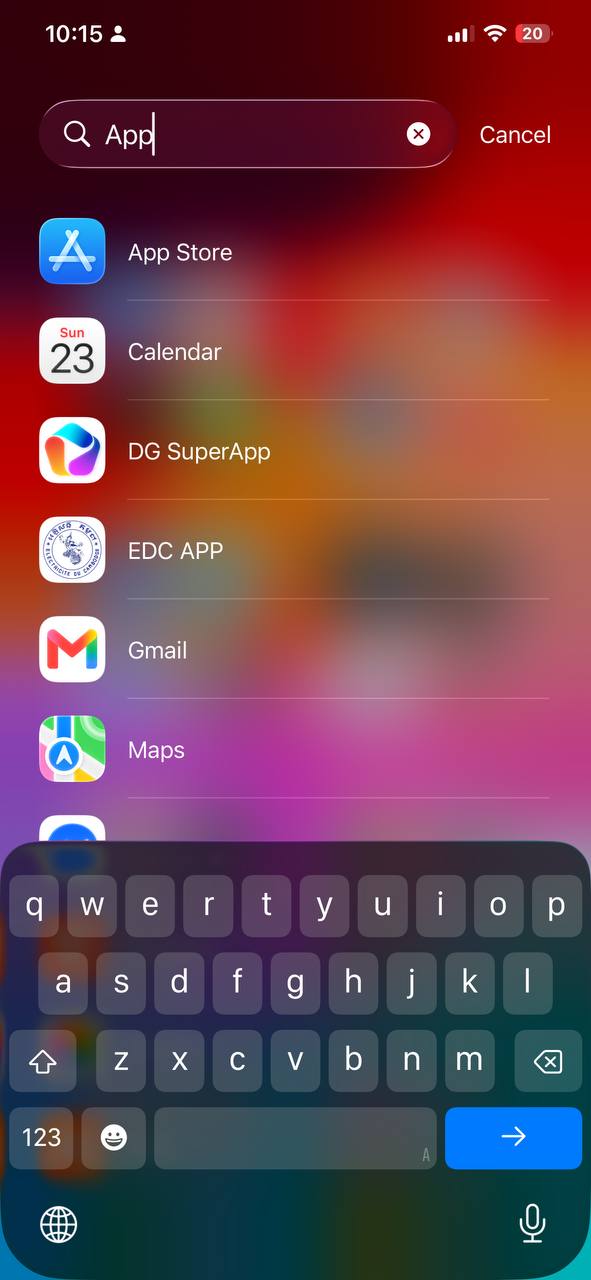
1.1 Open App Store
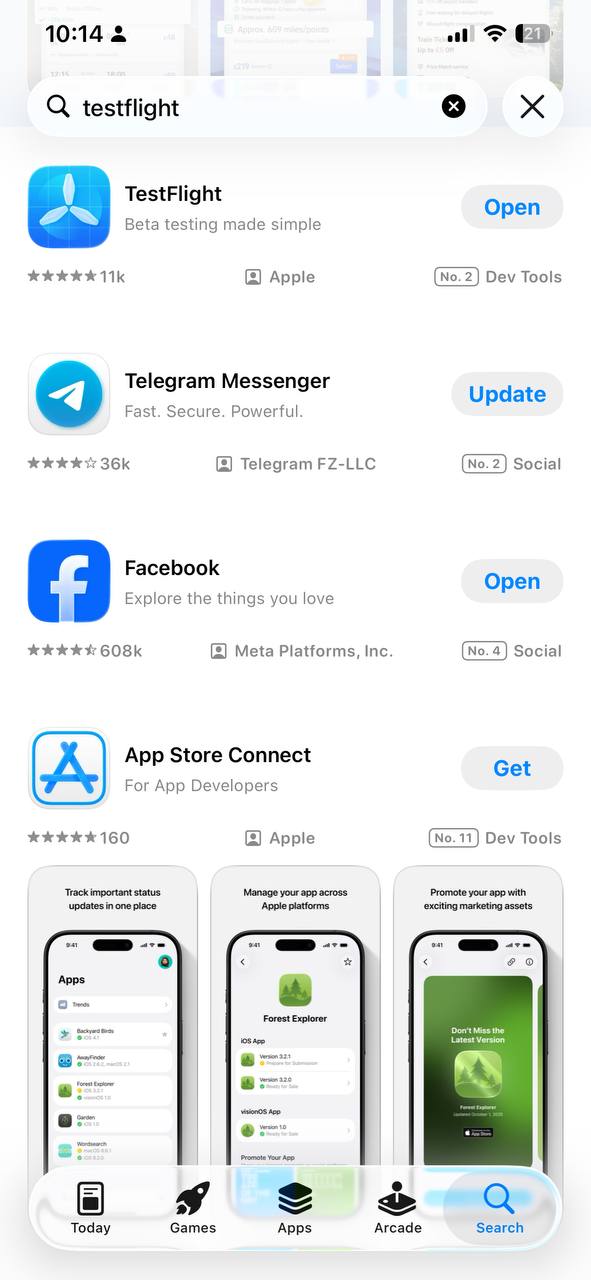
1.2 Search for TestFlight
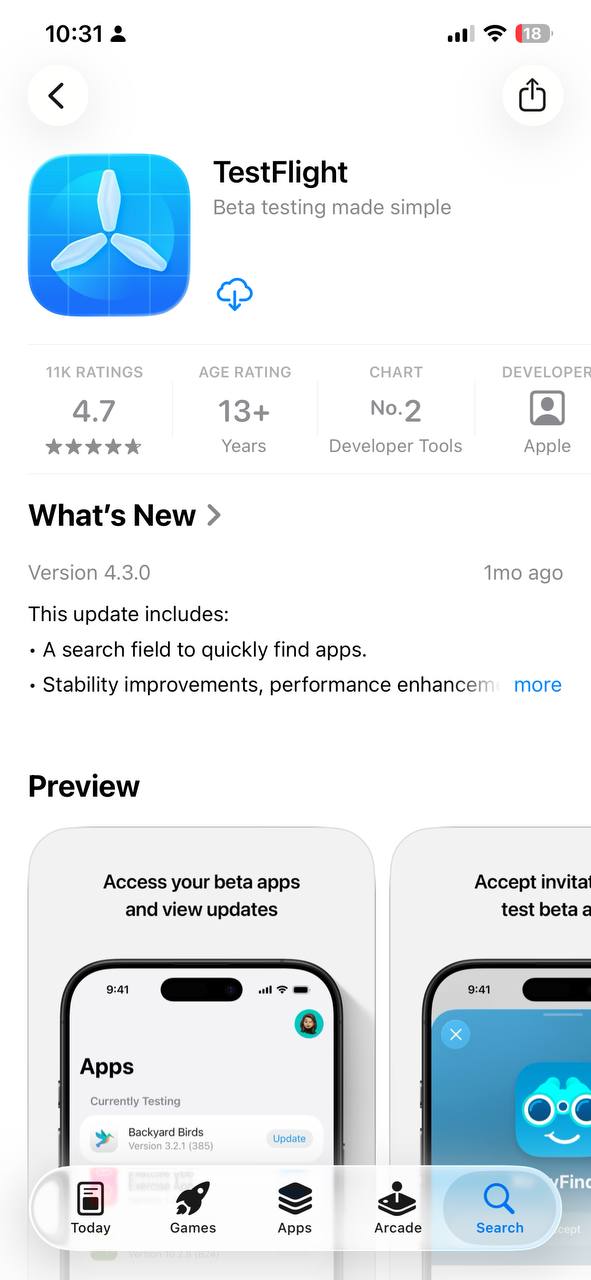
1.3 Tap Get to install
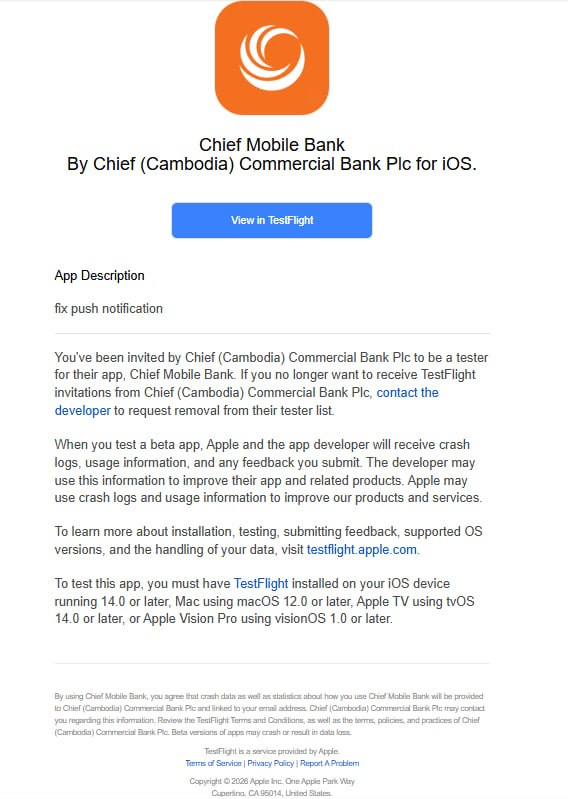
2.1 Open invitation email
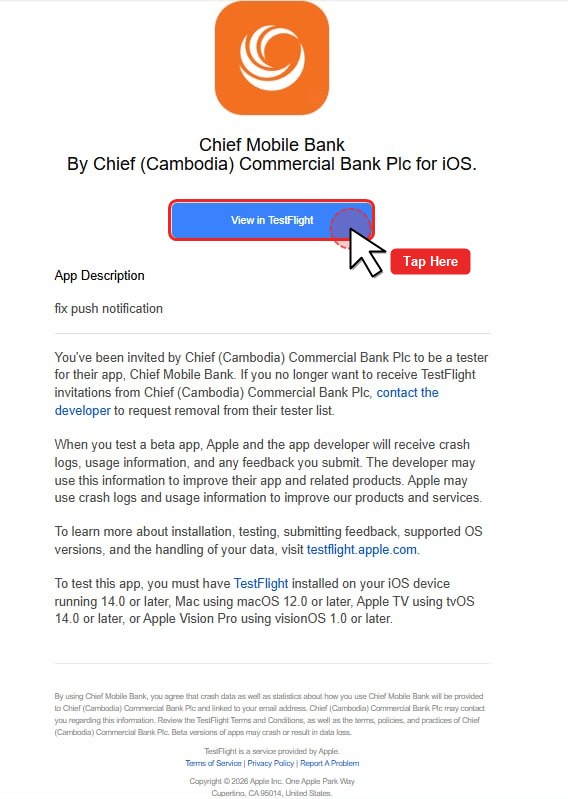
2.2 Tap “View in TestFlight”
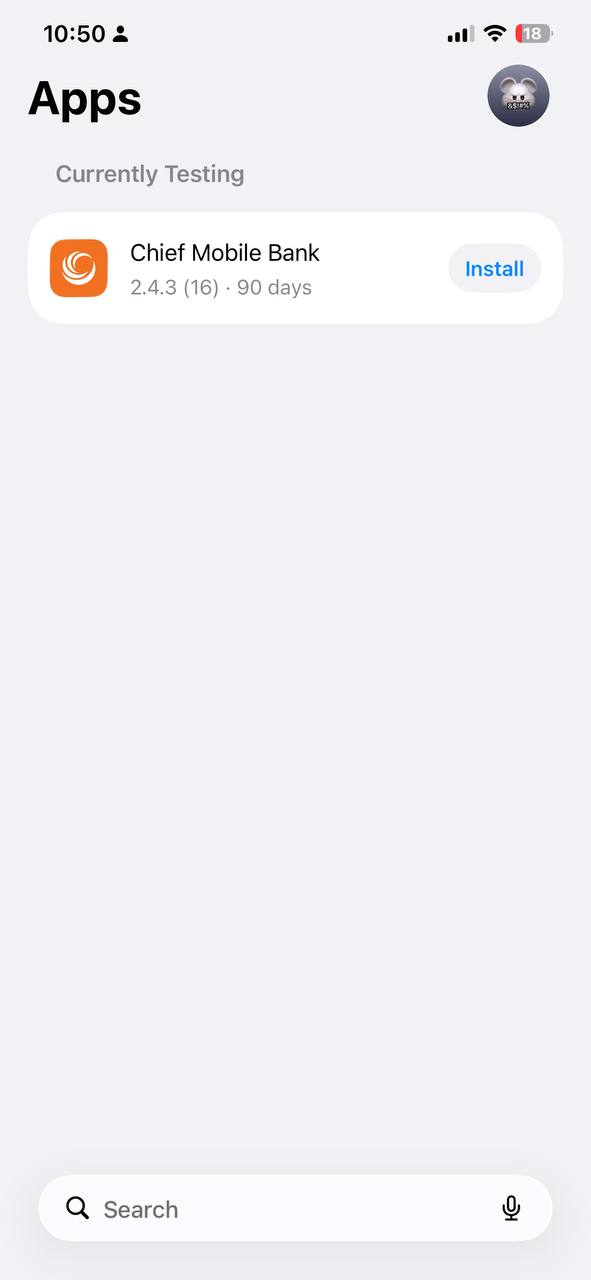
2.3 TestFlight opens automatically
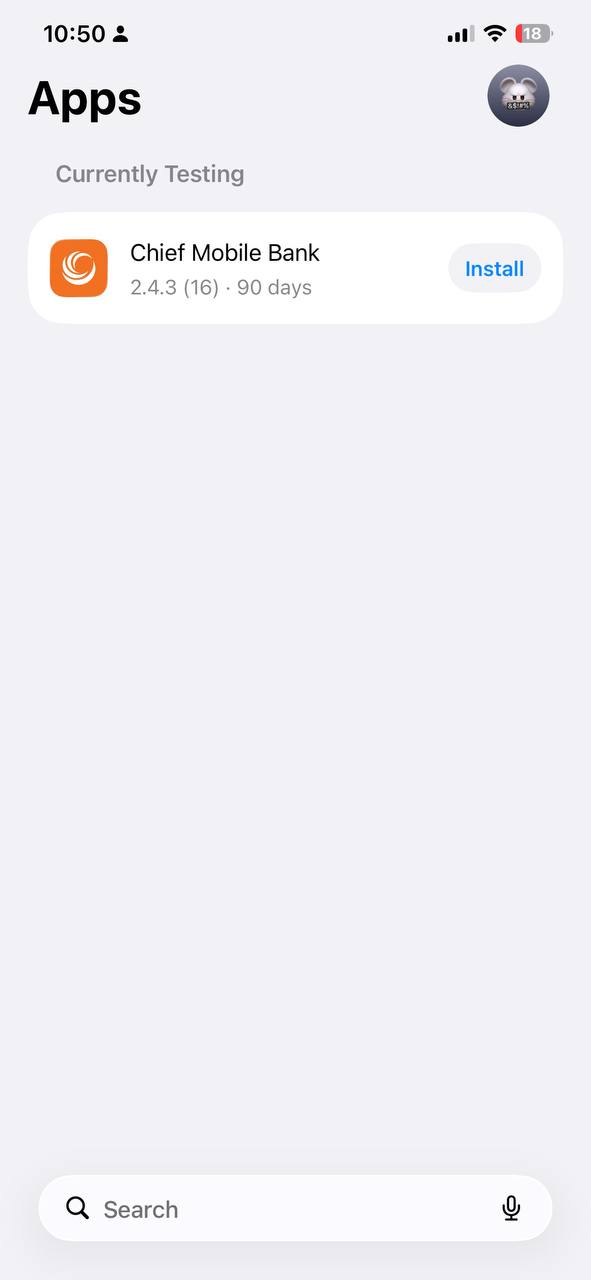
3.1 Find Chief Mobile Bank
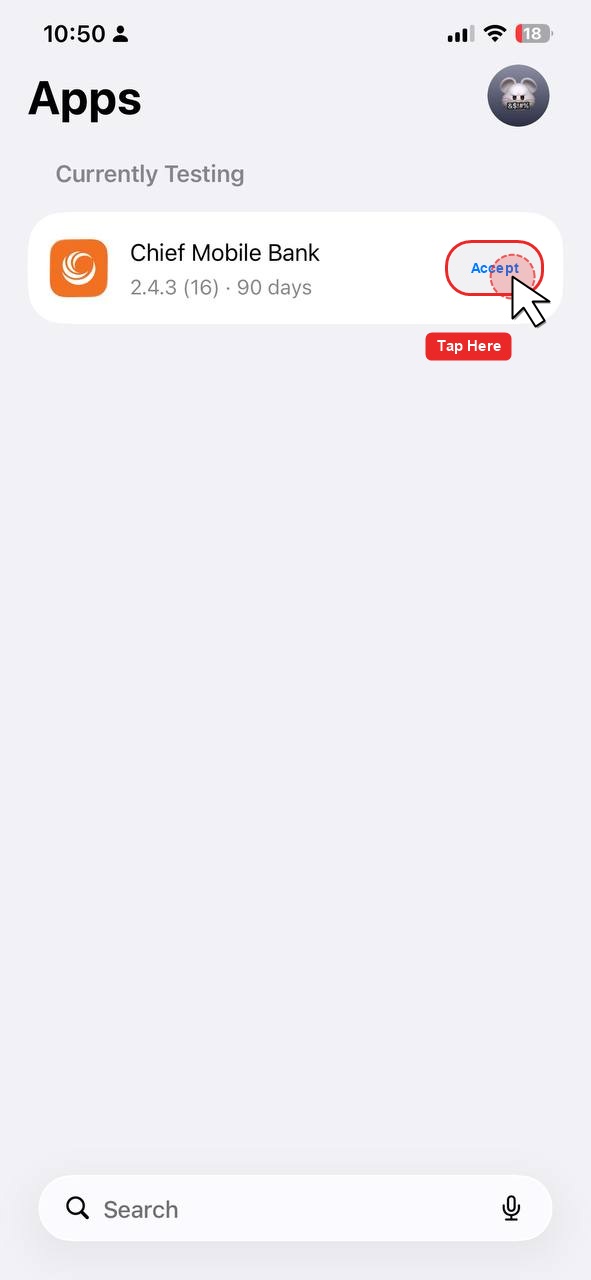
3.2 Tap “Accept” (if requested)
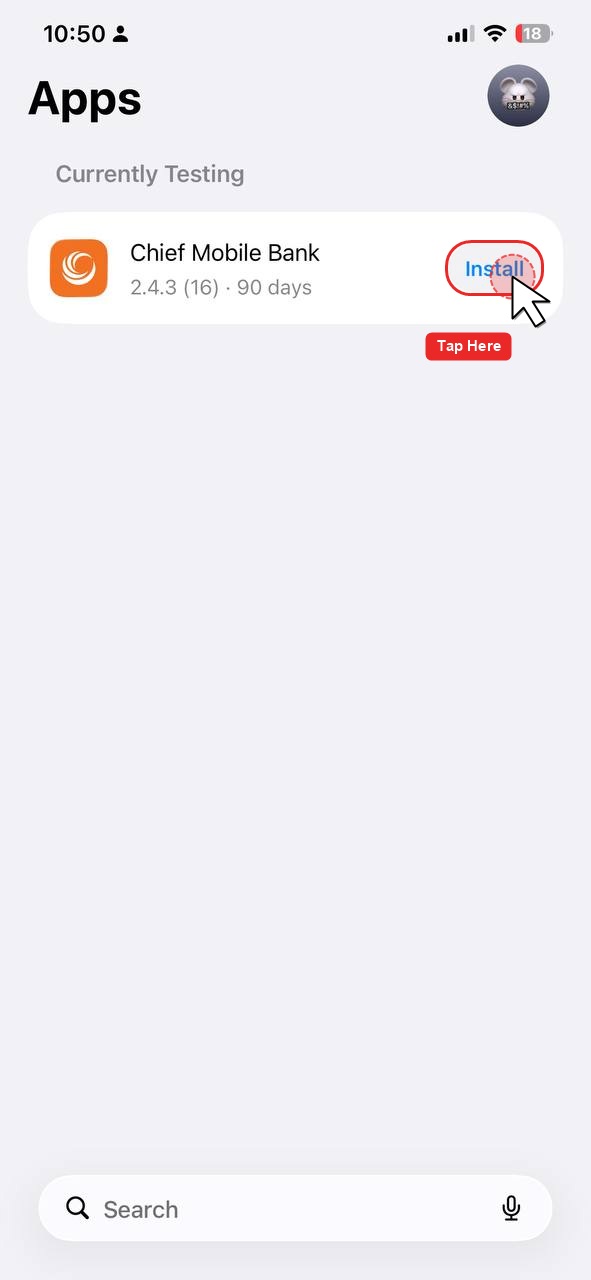
3.3 Tap “Install”
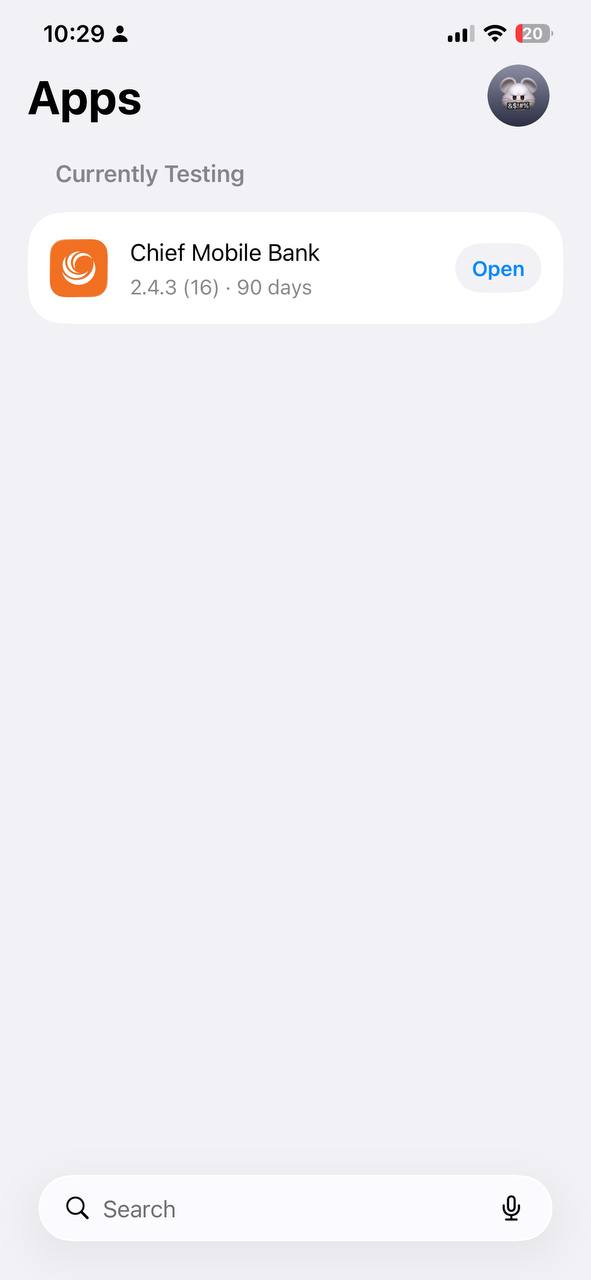
4.1 Tap Open in TestFlight
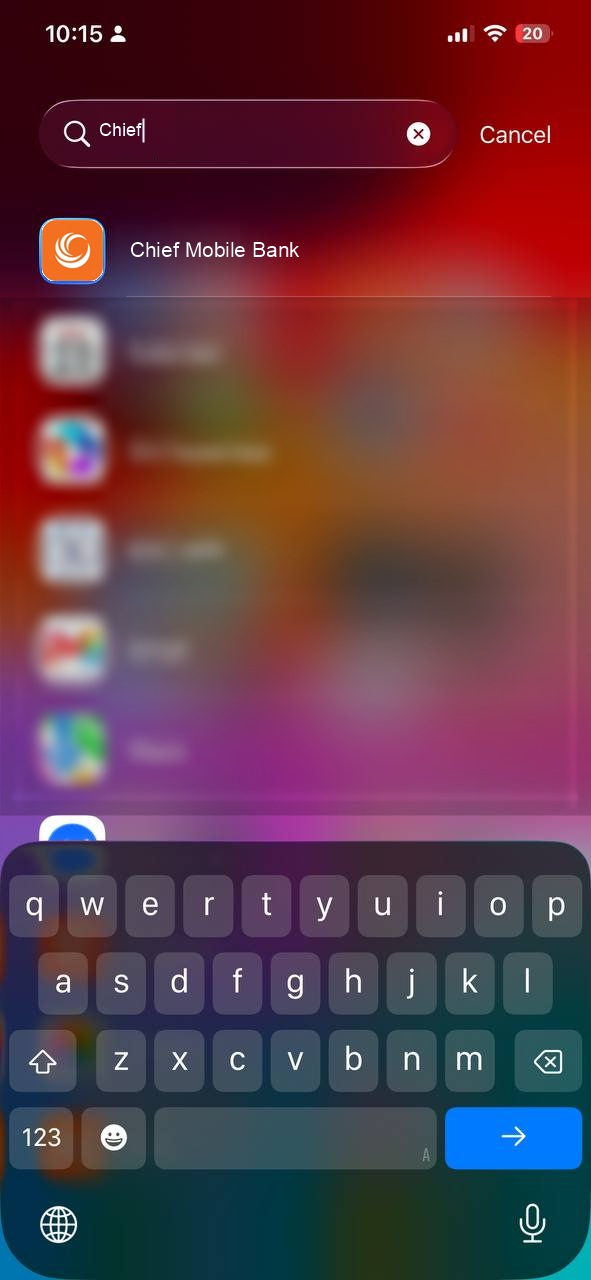
4.2 Or tap Chief Mobile Bank on your iPhone
Log in using your normal CHIEF Bank Mobile Banking credentials and start using the application.
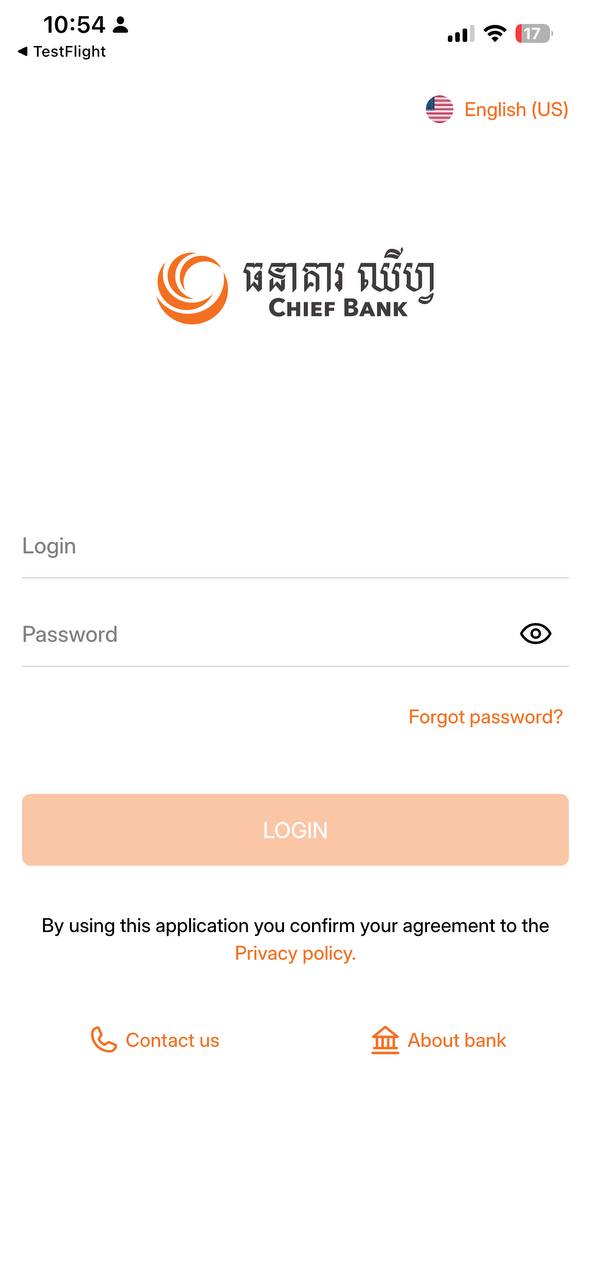
5.1 Chief Mobile Bank login screen
If the problem continues, please contact CHIEF Bank IT/Application Support and provide a screenshot of the error.
This is a temporary TestFlight version of CHIEF Bank Mobile Banking.
When the official App Store version becomes available, please update to the official version.
⚠️ Please do not share your banking credentials with anyone.
滿足客人需要,為客人實現財務成功。
我們的目標是和客人建立更深、更廣和更長遠的關係,幫助客人在財富旅途上走每一步,並為股東創造長遠價值。
維持企業高度誠信和專業
全心積極服務客人
積極履行社會責任
產品創新,領先一步