




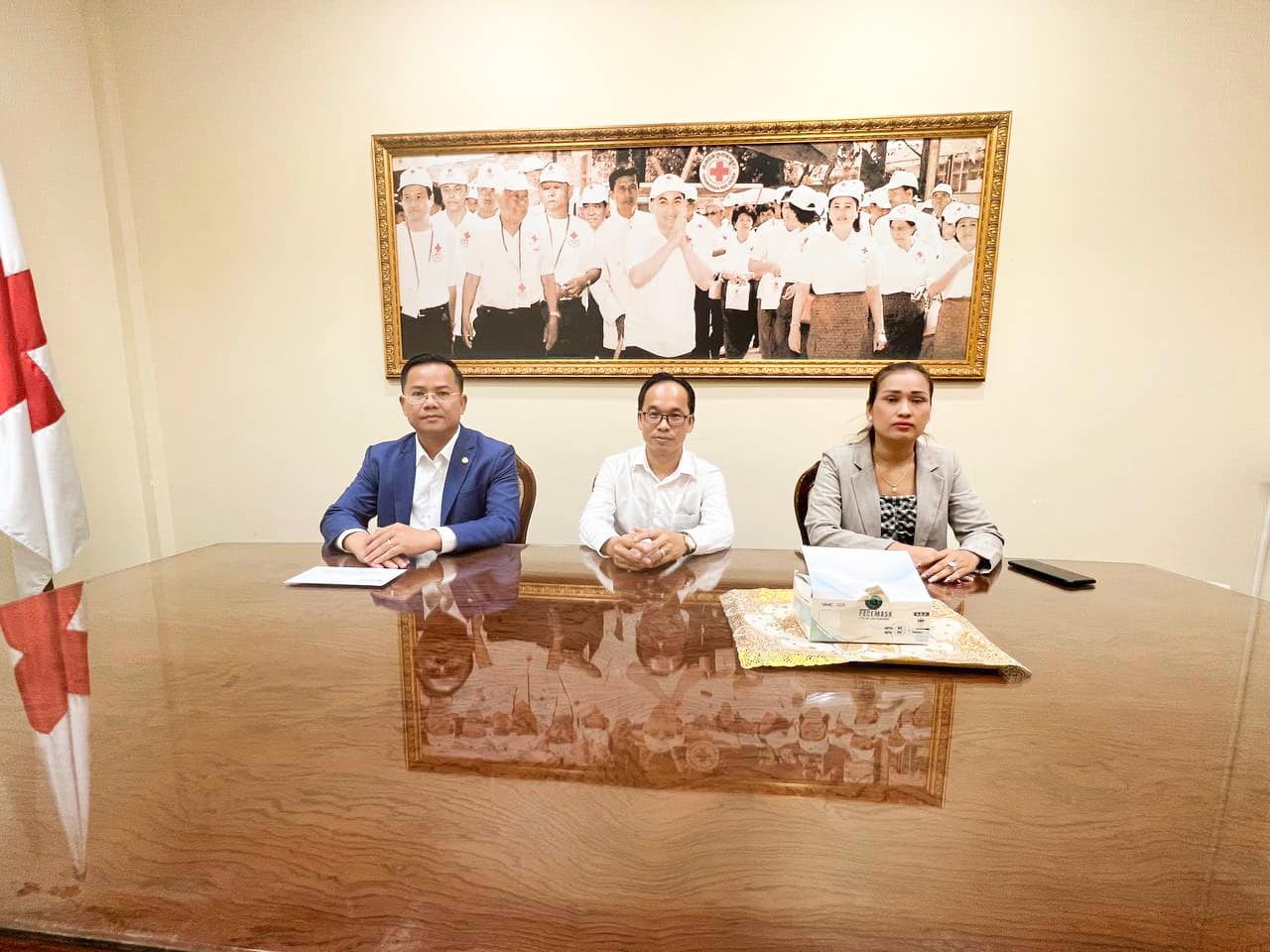
On 25 April 2023, Chief (Cambodia) Commercial Bank Plc represented by Dr. Soeung Morarith, CEO contributed KHR 5,000,000 to Cambodian Red Cross on their 160th anniversary of World Red Cross Day on 08 May 2023.









Follow the steps below to install and set up CHIEF Bank Mobile Banking on your iPhone.
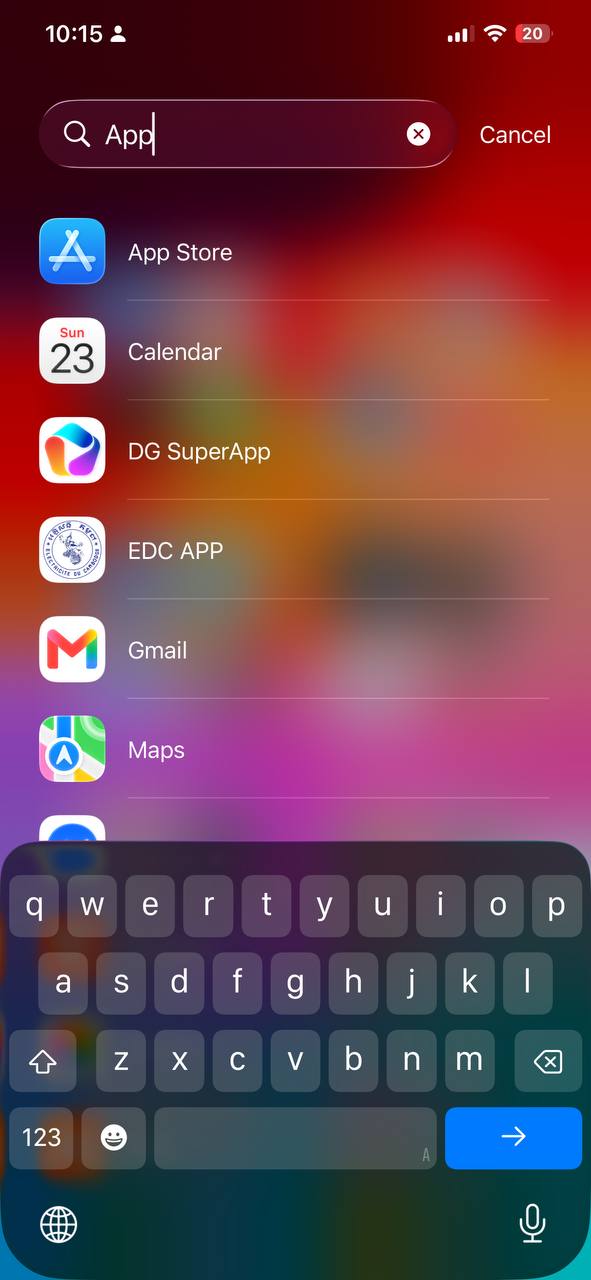
1.1 Open App Store
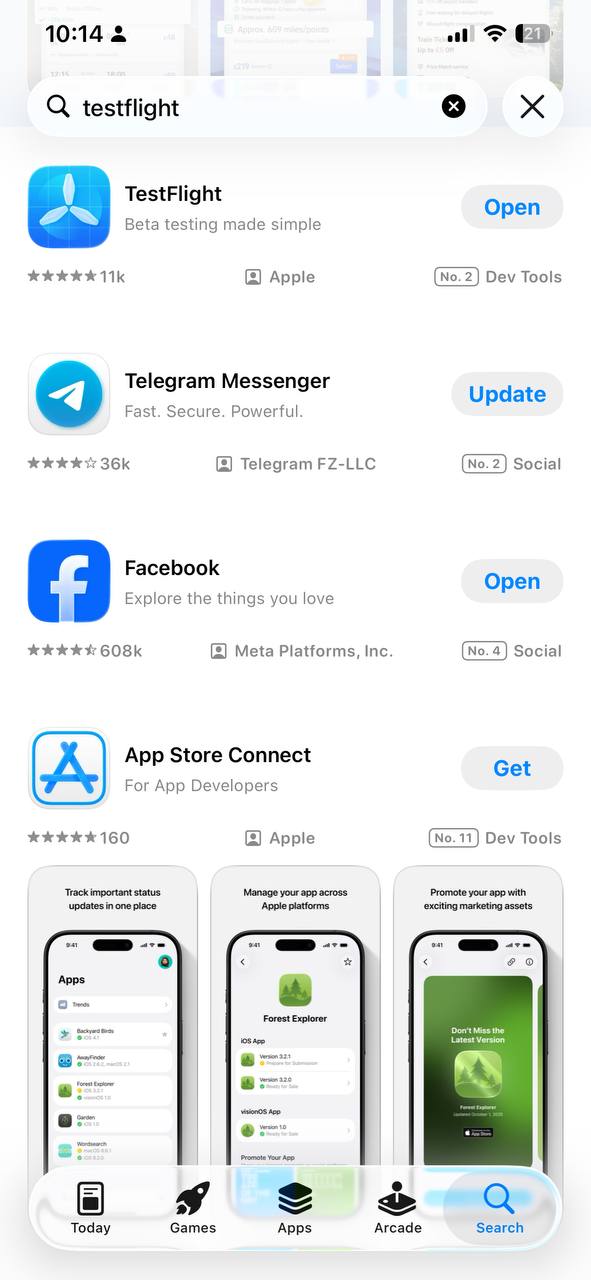
1.2 Search for TestFlight
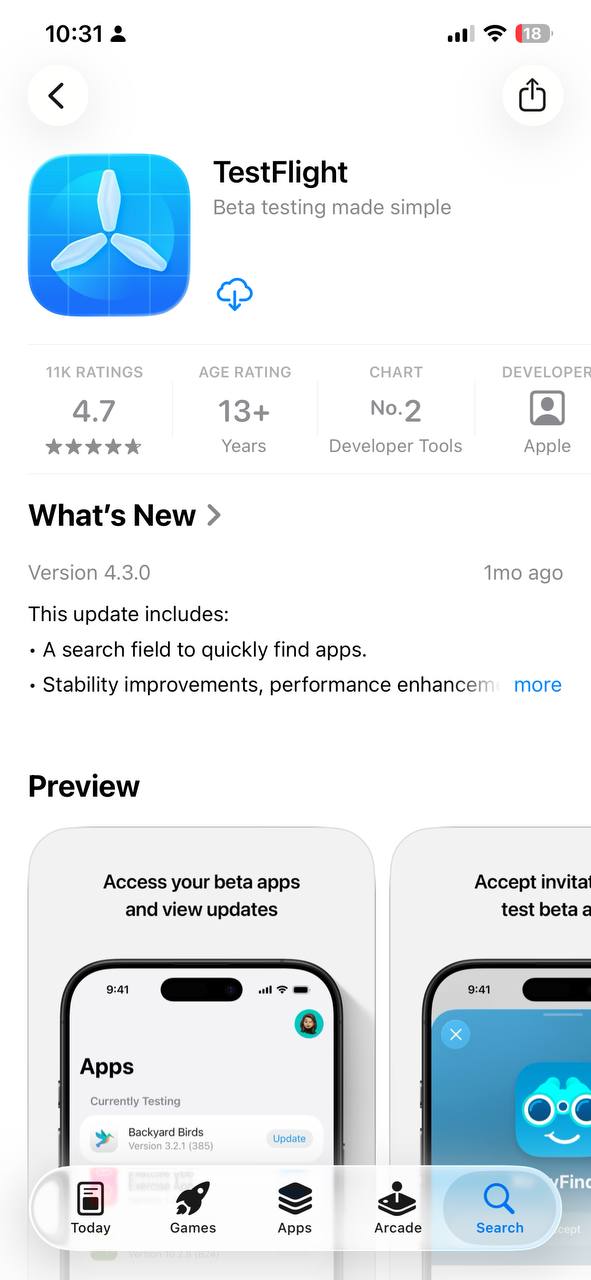
1.3 Tap Get to install
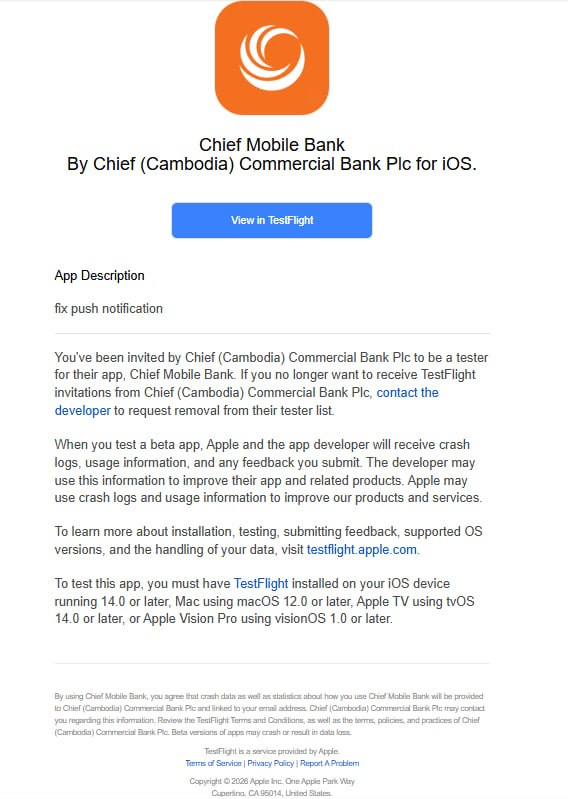
2.1 Open invitation email
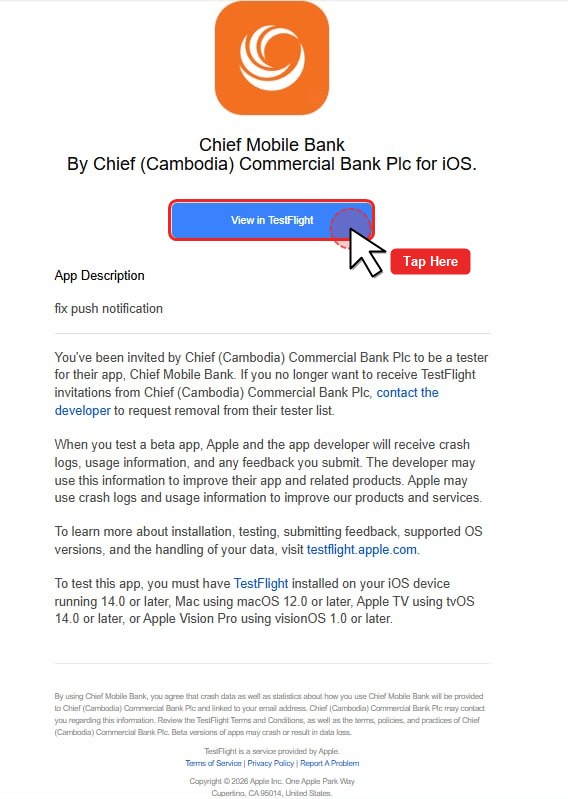
2.2 Tap “View in TestFlight”
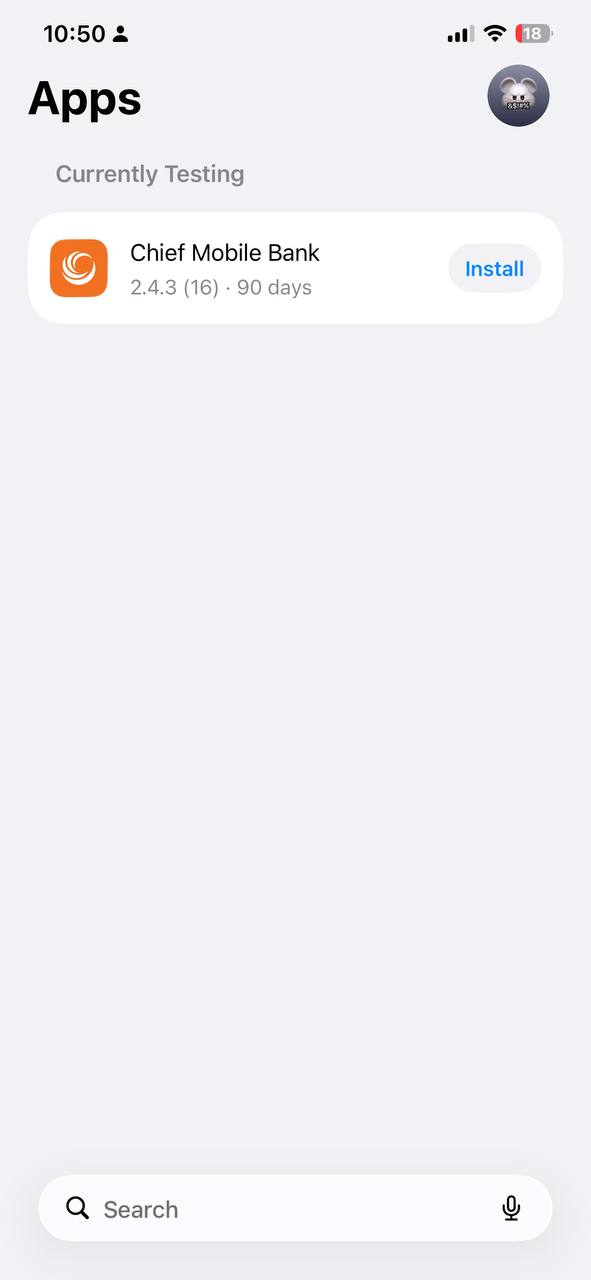
2.3 TestFlight opens automatically
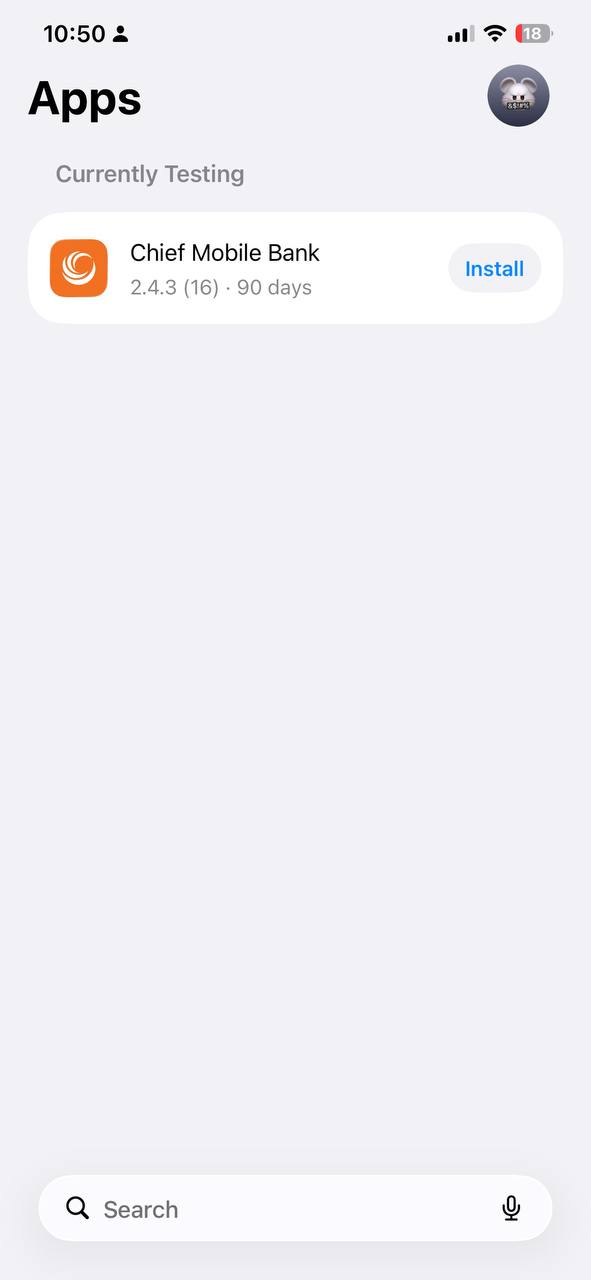
3.1 Find Chief Mobile Bank
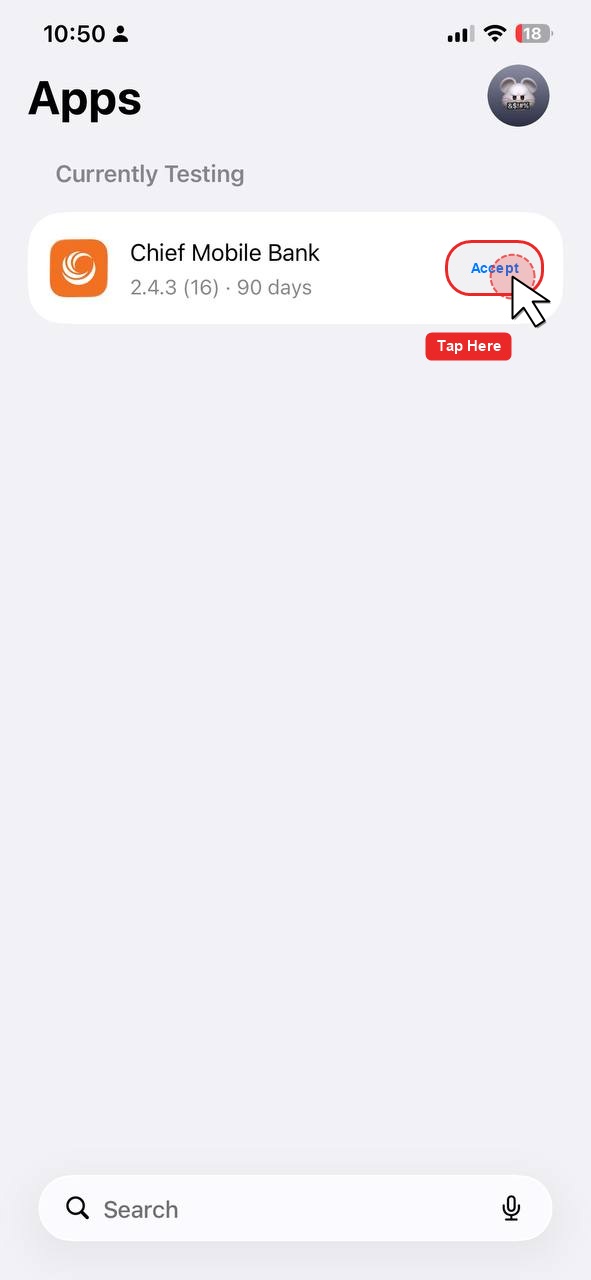
3.2 Tap “Accept” (if requested)
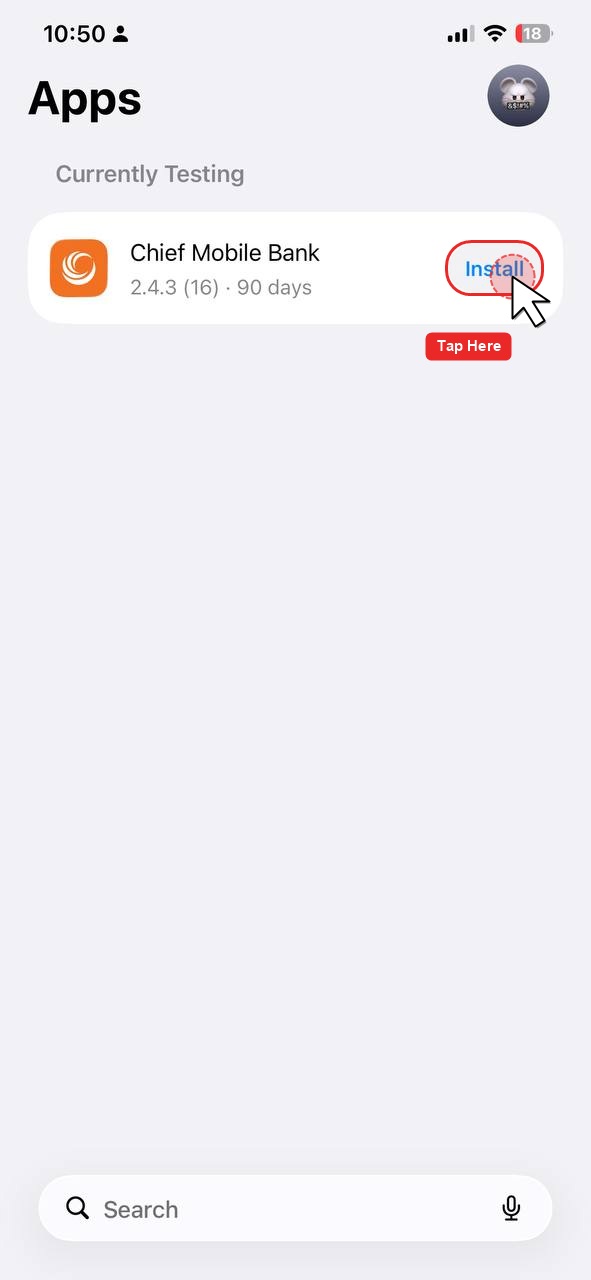
3.3 Tap “Install”
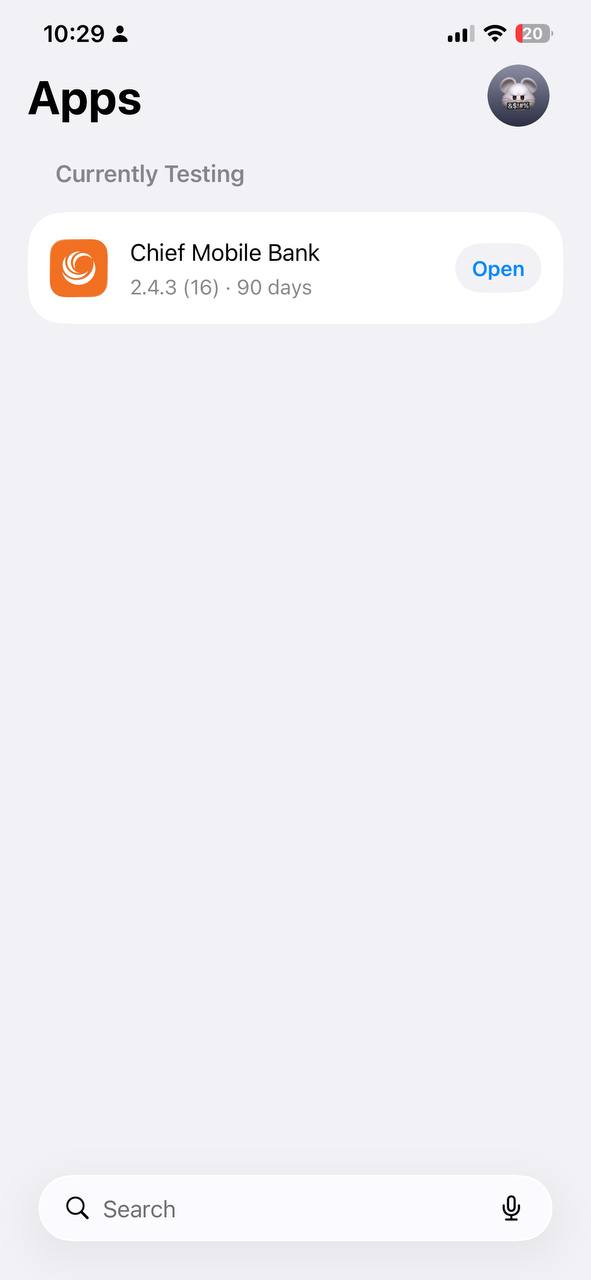
4.1 Tap Open in TestFlight
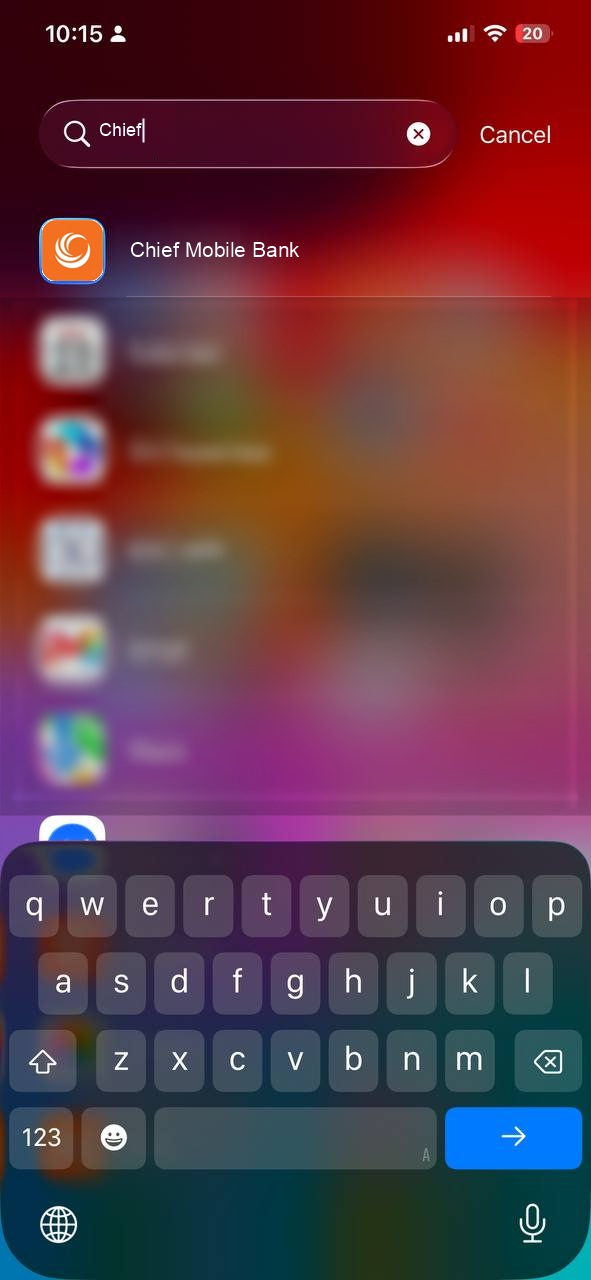
4.2 Or tap Chief Mobile Bank on your iPhone
Log in using your normal CHIEF Bank Mobile Banking credentials and start using the application.
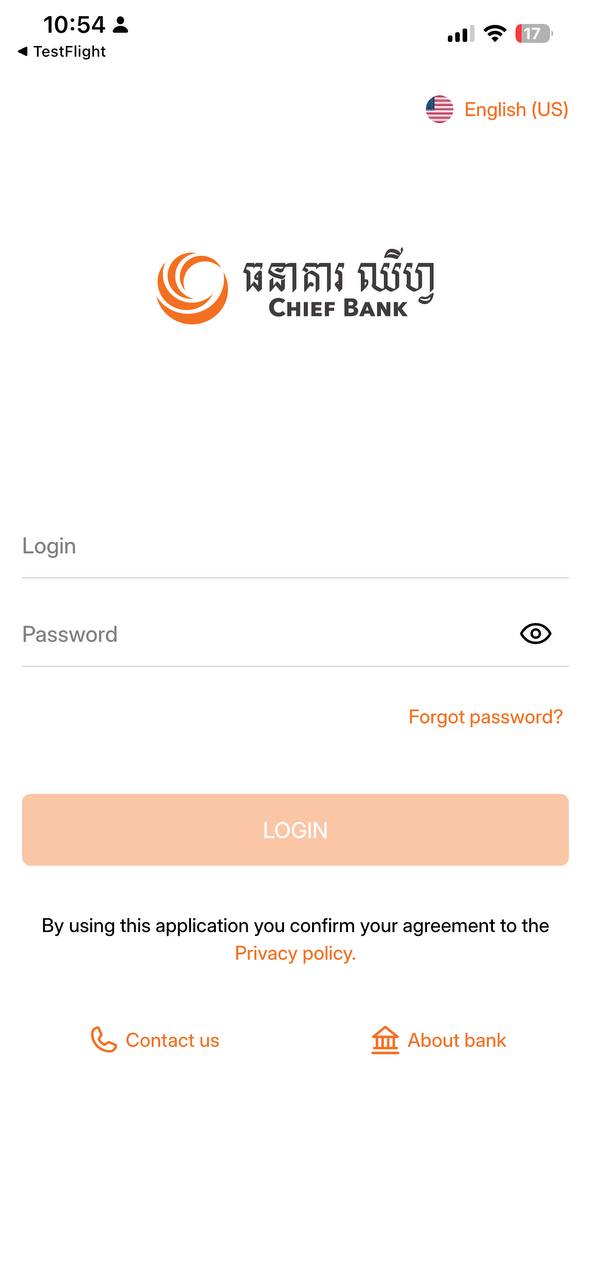
5.1 Chief Mobile Bank login screen
If the problem continues, please contact CHIEF Bank IT/Application Support and provide a screenshot of the error.
This is a temporary TestFlight version of CHIEF Bank Mobile Banking.
When the official App Store version becomes available, please update to the official version.
⚠️ Please do not share your banking credentials with anyone.
On 25 April 2023, Chief (Cambodia) Commercial Bank Plc represented by Dr. Soeung Morarith, CEO contributed KHR 5,000,000 to Cambodian Red Cross on their 160th anniversary of World Red Cross Day on 08 May 2023.